 blog
Best Medical Alert Systems for 2026: What Actually Works
Last Updated: November 9, 2026
Quick Summary
The best medical alert systems for 2026 are chosen by matching the device to daily life, not by feature lists: in-home systems for people who rarely leave, mobile systems with GPS for walkers and travelers. Prioritize 24/7 monitoring, a clear fall-detection cancel window, and no long-term contracts.
- In-home systems suit people who rarely leave the house; mobile systems with GPS suit walkers and travelers.
- Automatic fall detection is a backup to the manual button, not a replacement for it.
- A fall-detection cancel window of roughly 20-30 seconds, announced aloud, is what good looks like.
- A no-monthly-fee device that dials a relative has no 24/7 monitoring or dispatch.
- Ask for the total monthly fee with every feature turned on before comparing providers.
Table of Contents
- What Separates the Best Medical Alert Systems for 2026
- In-Home vs. Mobile: Matching the Device to Daily Life
- Medical Alert Systems for Seniors With Fall Detection
- Best Medical Alert Systems With Fall Detection Compared
- The Truth About Medical Alert Systems for Seniors With No Monthly Fee
- Total Cost of Ownership: One, Two, and Three Years
- The Best Medical Alert System for Seniors Depends on These Questions
- Ordering a System That Works in the Shower, on the Road, and in Low-Signal Areas
- Frequently Asked Questions
What Separates the Best Medical Alert Systems for 2026
Shopping for the best medical alert systems for 2026 starts with one hard truth: the device matters less than the monitoring behind it.
At We Send Help, we build these systems, so we have a bias.
The National Council on Aging's guidance on aging in place makes the same point from the family side: independence at home depends on a safety net that works without a bystander.
Below, we break down what to check before you order, what the categories actually mean, and where the costs hide.
In-Home vs. Mobile: Matching the Device to Daily Life
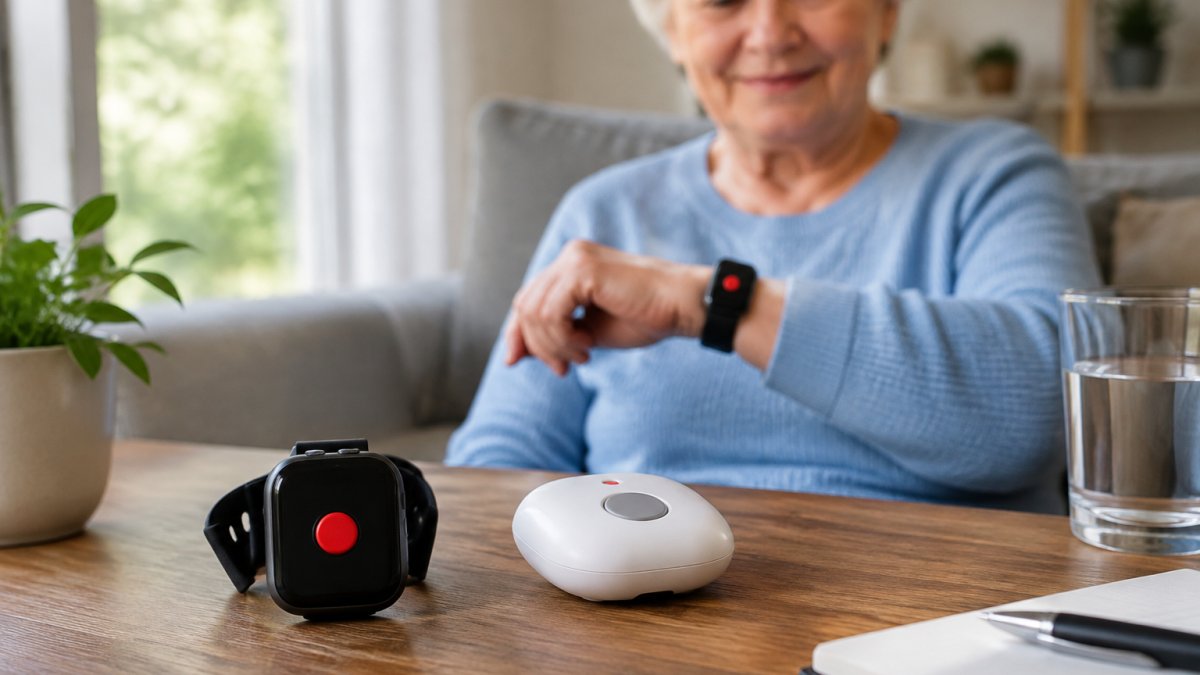
In-home systems use a base station with a landline or cellular connection and a wearable button that works within device range of the home.
Mobile systems carry their own cellular connection and GPS location tracking, so the help button works anywhere with coverage. They suit walkers, gardeners, and travelers.
| Situation | Better fit | Why |
|---|---|---|
| Mostly at home, large house | In-home | Louder console, no charging habit needed |
| Daily walks, errands, travel | Mobile | GPS tracking, works away from home |
| High fall risk in the bathroom | Either, waterproof | Shower use needs water resistance |
| Memory loss or wandering | Mobile | Location sharing for caregivers |
Ask one question before choosing: where was the person the last time they needed help? Buy for that place.
Medical Alert Systems for Seniors With Fall Detection
Fall detection changes the math because it covers the emergency the user cannot report. A hard fall can knock someone out, pin a hip, or leave them too shaken to press a button.

The feature is not magic, though. It reads motion patterns, and motion is ambiguous.
How Automatic Fall Detection Works and Where It Falls Short
Automatic fall detection generally uses motion sensors to recognize the signature of a fall: a sudden drop, an impact, then a change in body orientation with no movement afterward. When those conditions match, a countdown begins and an alert goes out if the user does not cancel it.
Where it falls short:
- Soft or slow falls. Sliding down a wall or sinking into a chair may not register as an impact.
- False alarms. Setting a device down hard or dropping it can trigger the countdown. A common mistake is buying fall detection for someone who will not tolerate the occasional false activation.
- Wearing position. A pendant worn outside the shirt reads motion better than one tucked into a pocket.
Manual alert always stays the primary path. Fall detection is a backup, and any provider that markets it as a replacement is overselling.
Best Medical Alert Systems With Fall Detection Compared
The best medical alert systems with fall detection combine automatic activation with two-way voice, a fast dispatch path, and a way to cancel a false alarm. Compare on those four points before price, because a fall detector that cannot be cancelled cleanly will get turned off within a month.
Here is the framework we would use to judge any provider, including our own:
| What to check | Why it matters | What good looks like |
|---|---|---|
| Fall detection type | Auto vs. manual changes the safety net | Automatic with a visible cancel window |
| Cancel window length | Too short causes false dispatches; too long delays real help | Roughly 20-30 seconds, announced aloud |
| Two-way voice | User must speak without holding anything | Hands-free through the device, audible from the floor |
| Water resistance | Bathroom is a high-risk room | Wearable in shower use, rated for splashes |
| Caregiver notification | Family needs to know, not guess | Alerts to caregiver app plus a call tree |
| Contract terms | Locks families into bad fits | No long-term contract, cancel without penalty |
What the Cancel Window Actually Does
The countdown is the most consequential setting on a fall-detection device, and the one shoppers never ask about.
A short window reduces the chance the user is left on the floor waiting, but raises false dispatches from dropped devices and hard sit-downs.
Watch out: a device that cancels silently, with no audible countdown, trains the user to ignore it, and a user who ignores the countdown will ignore the real alert too.
How We Would Test Fall Detection Before Trusting It
No ranking is worth much without a stated method, so here is the test we would run on any device, and the one we run on our own:
- Simulated fall on a padded surface. Drop the device from waist height onto a mat and confirm the countdown starts and can be cancelled.
- Soft fall against a wall. Slide the device down a wall to mimic a slow collapse and note whether it registers, many do not, which is a limitation to disclose, not hide.
- Hard set-down. Place the device firmly on a counter and confirm whether it false-triggers.
- Worn-position check. Repeat the drop with the pendant outside the shirt and again in a pocket, and record the difference.
- Dispatch confirmation. Let one countdown expire and confirm the monitoring center answers, reads the account's health information, and reaches the listed emergency contacts.
Record the results in a simple table, pass, fail, or partial, so the comparison is reproducible rather than a claim.
Best for: households where the user is alone for long stretches and a fall could go unreported. Skip if: the user refuses to wear a device consistently, since fall detection only works when it is worn.
We Send Help offers automatic fall detection on some of its devices, built as a backup to the help button rather than a substitute.
The Truth About Medical Alert Systems for Seniors With No Monthly Fee
Medical alert systems for seniors with no monthly fee exist, but the label usually hides the cost somewhere else.
Three common structures:
- One-time purchase, no monitoring. The device calls a pre-set phone number, often a family member. There is no 24/7 monitoring, no dispatch, and no one to answer at 3 a.m.
- Free device, paid service. The hardware costs nothing up front, and the monthly fee carries the whole business. Read the contract length carefully.
- Low base fee, add-on pricing. Fall detection, GPS, and cellular service bill separately, so the advertised number is not the real one.
Watch out: a "no monthly fee" device that dials a relative is not a medical alert system in any useful sense. It is a phone with one button.
The honest version of low cost is simple: no activation fee, no equipment fee, no shipping fee surprise, and cellular service included rather than billed as a separate line.
Total Cost of Ownership: One, Two, and Three Years
Total cost of ownership is where comparison shopping usually stops too early. The monthly fee is the visible cost. The real cost includes equipment, activation, shipping, cellular data charges, fall-detection add-ons, and what happens when the person cancels, and none of the top rankings put those on one line.
Build the three-year number this way, using the provider's own quoted figures:
- Year one: equipment or activation charges + (12 × monthly fee) + shipping + any fall-detection or GPS add-on.
- Year two: (12 × monthly fee) + a replacement battery or device if the warranty excludes wear.
- Year three: (12 × monthly fee) + the cost of switching if the contract or cancellation policy traps the family.
A Worked Example, With Placeholder Numbers
Because prices change, plug in the provider's quoted figures rather than trusting a published total. The structure looks like this:
| Line item | Year 1 | Year 2 | Year 3 |
|---|---|---|---|
| Equipment / activation | $ | $0 | $0 |
| Monthly monitoring (12 × fee) | $ | $ | $ |
| Cellular / data charge | $ | $ | $ |
| Fall detection add-on | $ | $ | $ |
| Shipping | $ | $0 | $0 |
| Battery or device replacement | $0 | $ | $ |
| Cancellation or restocking fee | $0 | $0 | $ |
| Total | $ | $ | $ |
Two questions expose most of the difference. Is 4G/5G LTE service included, or billed as a separate data charge? Does the warranty survive a wet device or a cancelled account? A lifetime warranty for active accounts is only worth what the fine print allows, so read the exclusions before you rely on it.
The Costs Nobody Quotes: False Alarms and Cancellation
This is the part the rankings leave out, and where families lose money.
Cancellation is the other hidden line. Before ordering, get four answers in writing:
- Is there a contract term? Month-to-month service lets a family leave after a failed coverage test; a multi-year term does not.
- What is the cancellation notice period? Some providers require written notice weeks ahead, so the final bill includes an extra month.
- Is equipment returned or kept? A restocking or non-return fee can add a one-time charge at the end.
- What happens to prepaid months? Prepaid annual plans often refund nothing on early cancellation.
Watch out: a "free" device paired with a long contract is the most expensive structure in the table once the cancellation fee is counted.
We Send Help offers no long-term contracts, includes 4G/5G LTE service at no extra cost, and backs devices with a lifetime warranty for active accounts.
The Best Medical Alert System for Seniors Depends on These Questions
The best medical alert system for seniors is the one matched to the user's body, home, and habits, not the one with the longest feature list. Run through these before ordering:
- Can they hear it? Voice clarity and volume matter more than speaker specs on a page. For hearing loss, a louder base station beats a quiet pendant.
- Can they press it? Dexterity limits change the choice between a wristband, a pendant, and a console help button. Look for a large, easy-to-find button.
- Will they wear it? A device in a drawer is a decoration. Water resistance for shower use removes the most common excuse to take it off.
- Is there a caregiver nearby? Caregiver apps and location sharing help family respond, but they do not replace dispatch.
- What is the cognitive picture? For dementia and wandering risk, GPS location tracking and caregiver notification carry more weight than fall detection.
Privacy deserves a line of its own. Location sharing should be controllable by the user and limited to the people who need it. Ask any provider who can see location data and how to turn it off.
Ordering a System That Works in the Shower, on the Road, and in Low-Signal Areas
Coverage is the quiet failure point. A mobile system is only as good as the network under it, and rural or low-signal areas test that promise.
Then test the system on day one, in the places that matter:
- Press the help button from the shower and confirm two-way voice is audible over running water.
- Walk to the far end of the yard and confirm the device still connects.
- Trigger a fall detection countdown on a soft surface and confirm it can be cancelled.
- Confirm the monitoring center has current health information and emergency contacts.
- Check whether the caregiver notification settings alert you when the device goes inactive.
For travel, confirm the device works in another state and that GPS tracking follows. The FCC's consumer guide to medical alert systems is worth reading on how these devices connect and what to ask a provider about coverage and reliability.
A useful rule: order from a provider that lets you cancel without penalty if the coverage test fails. A system that cannot reach the monitoring center from the bathroom is not a safety net, whatever the brochure says.
Frequently Asked Questions
Which medical alert systems offer automatic fall detection?
Many medical alert systems now offer automatic fall detection as an add-on or built-in feature, typically through a pendant or wearable button with accelerometers. Automatic fall detection is not 100% reliable: it can miss soft falls and trigger on hard sitting or dropped devices. Look for a system that pairs fall detection with a manual alert option and two-way voice so the user can confirm or cancel an activation. Ask the provider how their fall detection is tested and whether it works in the shower.
Are there medical alert systems for seniors with no monthly fee?
Truly free medical alert systems are rare. Some options avoid a monthly fee by using a smartphone app or a Bluetooth-connected device that calls a family member rather than a 24/7 monitoring center. These can work for low-risk users, but they lack professional dispatch, cellular backup, and caregiver notification. If a provider advertises no monthly fee, confirm what happens during an emergency, who answers, and whether equipment or activation fees apply before you rely on it.
How do at-home and mobile medical alert systems differ?
In-home systems use a base console with a landline or cellular connection and work within a limited device range around the home, often with a waterproof wearable button for shower use. Mobile systems use GPS location tracking and a cellular connection to work away from home, so they suit active seniors who travel or spend time outdoors. Many families choose a mobile system with fall detection to cover both settings, and should check coverage maps for rural or low-signal areas.
What should I check before signing a medical alert contract?
Read the contract for term length, cancellation policy, trial period, and whether equipment, activation, or shipping fees apply. Confirm whether 4G/5G LTE service is included or billed separately, and whether the monthly fee changes after an introductory period. Ask about the response time and what happens if the device loses network reliability. A provider with no long-term contracts and a clear cancellation policy gives you room to switch if the system does not fit your parent's routine.